The Absolute State of CSS in 2022
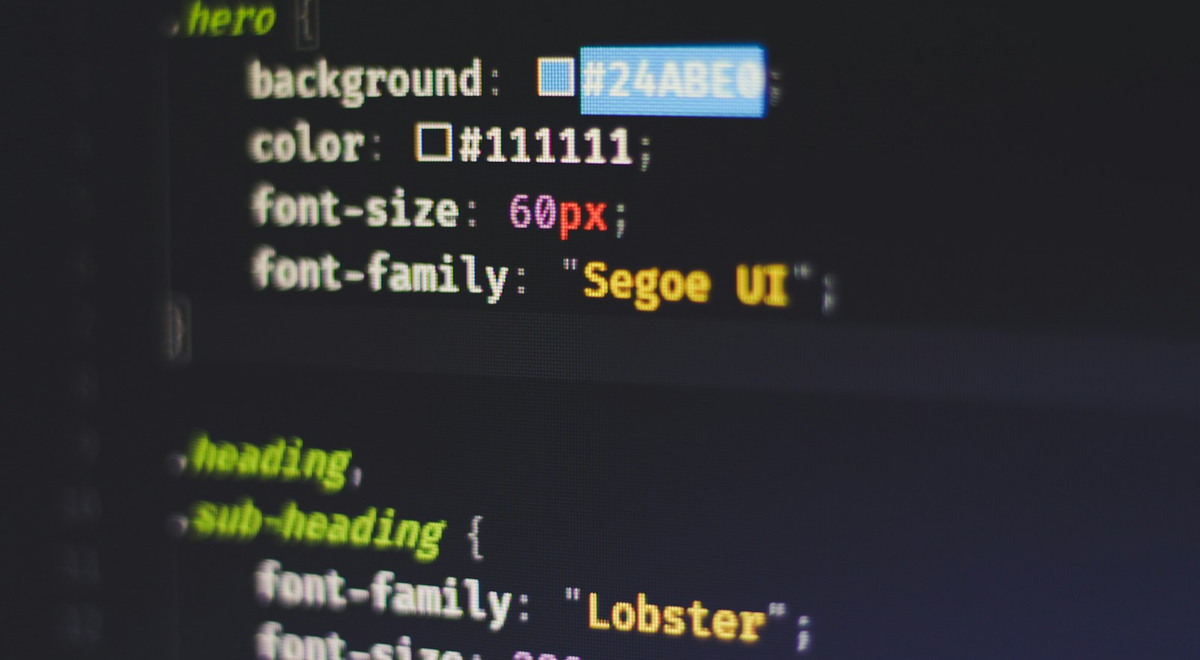
For years, CSS felt like the language of “just make it line up.” Meanwhile, JavaScript got all the headlines: frameworks, state management, and the never-ending debate about what “the best way” is. But in 2022, CSS stopped being background music and started dropping feature-level power. Container queries, cascade layers, and :has() didn’t just polish the surface—they rewired how you design responsive, predictable interfaces without reaching for hacks or heavy scripts.
If you write UI, you should care. Not someday. Now.
Container Queries: Stop Punishing the Viewport⌗
For as long as responsive design has existed, CSS has relied on the viewport as the source of truth. That’s an awkward choice: many components don’t live at the top level. They live in sidebars, cards, modals, tool panes, and grids—containers whose size may have nothing to do with the viewport’s width.
Container queries fix that.
The old way (viewport-based)⌗
You might write:
.card .title {
  font-size: 1.25rem;
}

@media (max-width: 600px) {
  .card .title {
    font-size: 1rem;
  }
}
This implicitly assumes your card collapses when the viewport does. In real layouts, it’s the container that matters.
The modern way (parent-based)⌗
With container queries, you define a container and then query its dimensions:
.card {
  container-type: inline-size;
}

.card .title {
  font-size: 1.25rem;
}

@container (max-width: 420px) {
  .card .title {
    font-size: 1rem;
  }
}
Now the title scales based on the card’s available width—whether that card is in a wide layout, a narrow column, or a collapsed drawer.
Practical advice⌗
- Use
container-type: inline-sizefor width-driven components (most UI layout depends on inline size). - Name your containers conceptually. Even if you don’t have container names everywhere, keep your mental model clean: “This component responds to its own space.”
- Replace brittle viewport media queries that target component internals. If your CSS targets
.sidebar .widgetdifferently depending on where it’s rendered, container queries are usually the correct escape hatch.
Cascade Layers: Make Specificity Boring Again⌗
If you’ve ever said, “Why is this CSS not applying?” you already understand the pain cascade layers are designed to eliminate.
Traditional CSS specificity can turn the stylesheet into a battlefield:
- Later rules win when specificity ties.
- Higher specificity silently overrides lower specificity.
- “Quick fixes” accumulate until the cascade becomes unmaintainable.
Cascade layers let you explicitly order groups of styles, so you stop playing whack-a-mole with specificity.
Think of layers as “priority buckets”⌗
A clean pattern is:
- Base styles
- Component styles
- Overrides (if you must)
@layer base, components, overrides;

@layer base {
  button {
    font: inherit;
  }
}

@layer components {
  .primary {
    background: #2563eb;
    color: white;
  }
}

@layer overrides {
  /* Intentionally last-resort */
  .primary {
    background: #1d4ed8;
  }
}
Even if .primary appears in multiple places, the layer order defines the outcome—without turning everything into !important or specificity gymnastics.
Practical advice⌗
- Put your framework-ish styles into one layer and your app overrides into another. You want the override layer to always beat the base layer, regardless of selector complexity.
- Use layers to control “CSS ownership.” For teams, this is huge: a component author can ship styles without fear that random app-level selectors will accidentally bulldoze them.
- Don’t treat layers as a magic wand. If everything goes into one layer, you’ve gained little. The value is in partitioning.
:has() : The Parent Selector You Always Wanted⌗
:has() is the most developer-empathic feature in recent CSS memory. It lets you style an element based on its descendants—and it does so without JavaScript.
Yes, it’s effectively a parent selector.
The old way (JavaScript or extra markup)⌗
Common pattern: “If a wrapper contains something that matches X, change the wrapper’s style.”
With JS you might:
- Query the DOM
- Check conditions
- Toggle classes
Or you might add “state” classes manually.
The CSS way⌗
Now you can write:
.card:has(.status-badge) {
  padding-top: 1.5rem;
}
Or:
.input-group:has(input:focus) {
  border-color: #2563eb;
}
This is a big deal because the UI state is already present in the DOM; :has() lets CSS react to it.
Practical advice⌗
- Use
:has()to reduce “state class” boilerplate. Your markup already expresses the relationship—let CSS leverage it. - Prefer
:has()for styling changes, not for heavy behavioral logic. CSS isn’t a state machine; it’s a renderer. Keep it focused. - Be mindful of performance in deeply nested or frequently changing DOMs. If you’re using it on large lists with constant mutation, measure. In most typical interface patterns, it’s a clean win.
Together, They Change How You Build Components⌗
Individually, these features are excellent. Together, they feel like a tectonic shift in component design philosophy.
Consider a common UI card:
- It should adjust internal layout based on its own width.
- It should style itself differently depending on whether it contains certain elements.
- It should not fight with global styles or third-party CSS overrides.
Before:
- Viewport media queries determine structure.
- JS toggles classes to represent internal conditions.
- Specificity wars decide what wins.
After:
- Container queries handle sizing.
:has()handles structural conditions.- Cascade layers handle stylesheet priority.
A cohesive example⌗
@layer base, components;

@layer components {
  .card {
    container-type: inline-size;
    padding: 1rem;
  }

  .card:has(.warning) {
    border-color: #f59e0b;
  }

  .card:has(.warning) .title {
    font-weight: 700;
  }

  @container (max-width: 420px) {
    .card .meta {
      display: none;
    }
  }
}
No viewport assumptions. No manual state classes. No “why is my selector losing?” drama. Just declarative rules that match how the component behaves.
Stop Sleeping on Native CSS: Replace JavaScript With Rendering Logic⌗
Here’s the uncomfortable truth: a lot of JavaScript UI logic exists because CSS couldn’t express certain relationships. With these features, some of that logic can move back to CSS, where it belongs.
Where CSS shines now⌗
- Layout adaptation based on parent sizing (container queries)
- Conditional styling based on DOM structure (
:has()) - Predictable styling order across teams and dependencies (cascade layers)
Where you still need JavaScript⌗
- Real event-driven behavior (timers, network calls, complex interactions)
- State that isn’t representable in the DOM structure (or isn’t stable enough)
- Animations that require imperative control, not just style transitions
A practical migration mindset⌗
- Identify one UI component with:
- fragile media queries,
- class toggling based on DOM content,
- and “override by selector power” problems.
- Replace viewport rules with container queries.
- Replace “if it contains X, add class” logic with
:has(). - Put component styles into a dedicated cascade layer and reserve an override layer for app-level exceptions.
Do this incrementally. You don’t need to rewrite the entire frontend in a weekend. You just need to stop accepting that “CSS can’t do that” as a permanent limitation.
Conclusion: CSS Is Finally Playing the Same Game⌗
2022 wasn’t just “nice-to-have” CSS. It was structural progress: container queries let components reason about their real space, cascade layers let styles stop fighting for dominance, and :has() gives CSS the missing parent-level awareness that developers have wanted for years.
If you’re still sprinkling JavaScript for styling conditions, betting your layout on viewport breakpoints, or relying on specificity tricks, you’re paying a tax that CSS no longer demands. Native CSS isn’t catching up—it’s already capable of a lot of what your frontend codebase does today. The real win is simple: let CSS render, and let JavaScript handle what only JavaScript can do.