Every Developer Should Understand Observability (Not Just Monitoring)
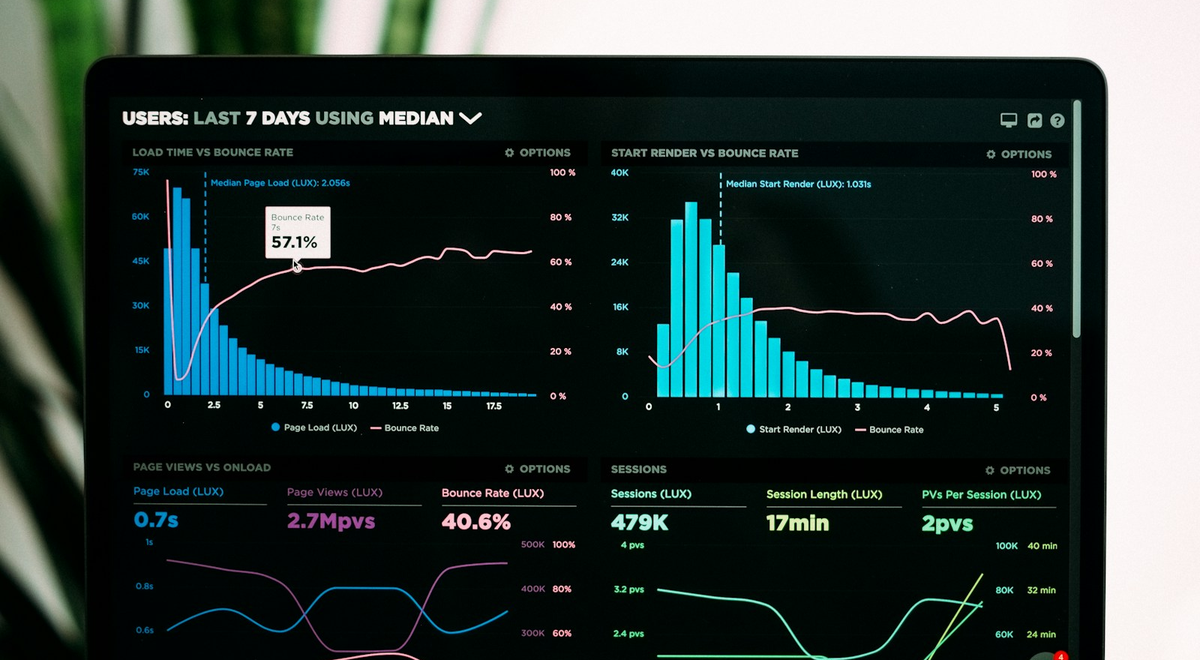
You can’t reliably fix what you can’t explain. Monitoring may light up a dashboard when your system is in trouble, but observability is what lets you answer the real question: why did it break, where did it start, and what changed? In modern production systems—especially distributed ones—understanding observability isn’t optional. It’s core engineering literacy.
Monitoring vs. Observability: Two Different Answers to Two Different Questions⌗
Monitoring and observability often get lumped together, but they solve different problems.
Monitoring is proactive detection. You set thresholds (“CPU > 90%,” “error rate > 1%,” “P99 latency > 500ms”) and alert when something crosses them. This is valuable, but it’s inherently reactive and limited: monitoring tells you that you have an issue, not why.
Observability is about diagnostic capability. You instrument your system so that, when something goes wrong, you can ask arbitrary questions—questions you didn’t pre-plan—using the data you already emitted. Instead of building one dashboard per incident, you build a system of signals that can be queried to reconstruct causality.
A useful mental model: monitoring answers “Are we broken?” Observability answers “What’s broken and why?” When teams say they “moved to observability,” what they usually mean is: they stopped treating telemetry as a checklist and started treating it as an investigative tool.
The Three Lenses: Logs, Metrics, and Traces—One System, Different Views⌗
Logs, metrics, and traces are often presented as three separate stacks. In practice, they’re three lenses on the same runtime behavior. Treating them as one correlated system is the difference between “we have dashboards” and “we can explain production.”
Logs: Context and narrative⌗
Logs are your detailed narrative—events in time order. The key is to make logs structured and queryable, not just “human-readable text dumped to stdout.”
A structured log line might look like this conceptually:
service.name:checkout-apiuser.id:12345correlation_id:b7f8...event:payment_authorization_failederror.code:card_declinedduration_ms:42
Without structure, you end up grepping through noise during an incident. With structure—and consistent fields—you can slice logs by correlation IDs, service boundaries, error codes, and time windows.
Metrics: Quantities you can slice⌗
Metrics summarize behavior over time. They’re excellent for trend detection and for measuring performance characteristics like latency distributions and saturation (CPU, memory, queue depth).
The trap is cardinality—labels with too many unique values (like raw user IDs or request IDs) can explode cost and overwhelm your time-series database. The practical rule: labels should represent dimensions of analysis, not raw identifiers.
Use labels like:
route:/checkoutdependency:payment-gatewaystatus_code:200|400|500region:us-east-1
Avoid labels like:
request_id: unique per request (unless you’re using it carefully in limited contexts)user_id: unbounded
Traces: Causality across boundaries⌗
Traces are the glue for distributed systems. A trace represents a single request (or workflow) flowing across services, with spans for each hop. Traces let you see where time is spent, where errors originate, and how dependencies behave.
The critical point: traces are most powerful when they’re connected to logs and metrics via shared identifiers (especially correlation IDs / trace IDs).
Instrumentation That Actually Helps: Correlation IDs and OpenTelemetry⌗
If you want observability that can answer “why,” you need consistent instrumentation. That means two things:
- Propagate context across services
- Emit data in compatible formats with consistent fields
Start with correlation IDs⌗
A correlation ID is the simplest “thread” you can follow end-to-end. In an HTTP request, you can generate a correlation ID at the edge, include it in response headers, and propagate it to downstream calls.
In practice:
- If you’re behind an API gateway or load balancer, inject the correlation ID there.
- In your application, read the incoming header (if present) and set it on outgoing requests.
- Make sure every log line includes it.
Then adopt distributed tracing (OpenTelemetry)⌗
Distributed tracing becomes real when it’s standardized and automatically handled at scale. OpenTelemetry gives you a common way to:
- create spans
- capture timing and errors
- propagate trace context between services
A strong implementation pattern looks like this:
- Each incoming request creates a root span.
- Each outbound dependency call becomes a child span.
- Errors are recorded on the span with meaningful attributes.
- Your exporter ships traces to your tracing backend.
The best part? Once you have trace IDs in your logs and trace summaries in your tracing UI, you can pivot instantly:
- “This request is slow” → “Show me the trace” → “Which span was slow?” → “Open related logs for that span.”
Cardinality, Sampling, and the Reality of Production Costs⌗
Observability isn’t free. Good systems engineering includes constraints and trade-offs.
Cardinality rules your budget⌗
If you label metrics with overly specific identifiers, you’ll pay in storage, query performance, and cost. Even worse, developers stop using the metrics because results are unreliable or expensive to query.
Practical advice:
- Prefer enums with bounded values (
status_code,region,route) - Bucket dimensions (e.g., latency buckets, not raw durations)
- For high-cardinality fields, move them to logs or traces where they belong
Sampling isn’t a compromise—it’s a strategy⌗
You generally can’t trace every request forever. Sampling controls volume. But sampling done blindly can make incidents harder to debug.
Better approaches:
- Head-based sampling: choose a sample rate and accept that you’ll miss some traces.
- Tail-based sampling (where supported): keep traces that match “interesting” criteria (errors, high latency).
- Dynamic sampling policies: increase sampling when incidents start or when error rates spike.
The goal is to preserve the ability to answer why during failures. During normal periods, you can sample more aggressively.
Treat telemetry like product code⌗
Observability instrumentation changes over time. Add fields carefully. Deprecate old ones. Ensure that changes don’t break your correlation strategy. A common failure mode is “instrumentation drift,” where one service starts emitting different attribute names and suddenly dashboards and trace searches stop working.
How Developers Use Observability During Real Incidents⌗
This is where observability earns its keep. Consider a scenario that monitoring catches quickly:
- Alerts fire for “P99 latency increased” last Tuesday.
- Error rates may or may not be elevated.
- You need a root cause fast.
With a mature observability setup, your investigation might look like this:
Confirm the scope
- Use metrics to pinpoint the affected service and route.
- Break down latency by
regionanddependency. - You discover, for example, that only
/checkoutineu-west-1is impacted.
Find the failing dependency
- Compare latency metrics labeled by
dependency(e.g.,payment-gateway). - If the dependency latency spikes, your suspicion narrows quickly.
- Compare latency metrics labeled by
Pivot to traces
- Filter traces by
trace_id(from logs) or by time window and service attributes. - Identify a span with long duration and check error tags.
- You might see
payment-gateway > auth_requestconsistently taking longer during the incident window.
- Filter traces by
Read the logs behind the spans
- Open logs correlated to a representative trace.
- Look for structured attributes like
error.code,retry_count,timeout_ms, or circuit breaker state. - You may discover the gateway started throttling and your client retried until a timeout.
Turn the story into action
- Implement backoff/jitter or circuit breaker tuning.
- Adjust request timeouts based on observed dependency behavior.
- Add targeted dashboards for the exact attribute you used to debug (“throttling response code,” “retries,” “timeout_ms buckets”).
Notice what’s happening: you aren’t just reading one chart. You’re reconstructing causality across the system using correlated signals.
Building an Observability Stack Your Team Will Actually Use⌗
The temptation is to “set up tools” and assume the value follows. It won’t. The real work is aligning instrumentation, naming, and developer workflows.
Define the fields that matter⌗
Agree on conventions for:
service.nameenvironment(prod/staging)routeoroperationcorrelation_id/trace_iderror.codedependency.name
Make sure every team uses the same names so queries don’t become archaeology.
Make it easy to pivot⌗
Your tooling should support the same flow every time:
- click from a metric spike to traces
- click from a trace to logs for a specific span
- use shared IDs to avoid manual searching
If this pivoting isn’t smooth, people will fall back to guesswork.
Start small, then deepen⌗
You don’t need perfect coverage everywhere on day one. You need coverage where it counts:
- critical request paths
- high-impact dependencies
- services with known latency or reliability risk
Then iterate. The second biggest observability mistake (after missing correlation) is stopping too early.
Conclusion: Observability Is Developer Power⌗
Monitoring tells you when something is broken. Observability tells you how it broke, where it started, and what to change next. When logs, metrics, and traces work as three lenses on the same system—connected by correlation IDs and standardized by OpenTelemetry—you gain the ability to ask arbitrary questions about production, not just respond to pre-written alerts.
If you can’t explain why your P99 spiked last Tuesday, you don’t need “more dashboards.” You need better instrumentation and correlated signals. That’s a developer competency—so build it, own it, and make it part of how you ship.