Local AI Development Environments Are a Game Changer
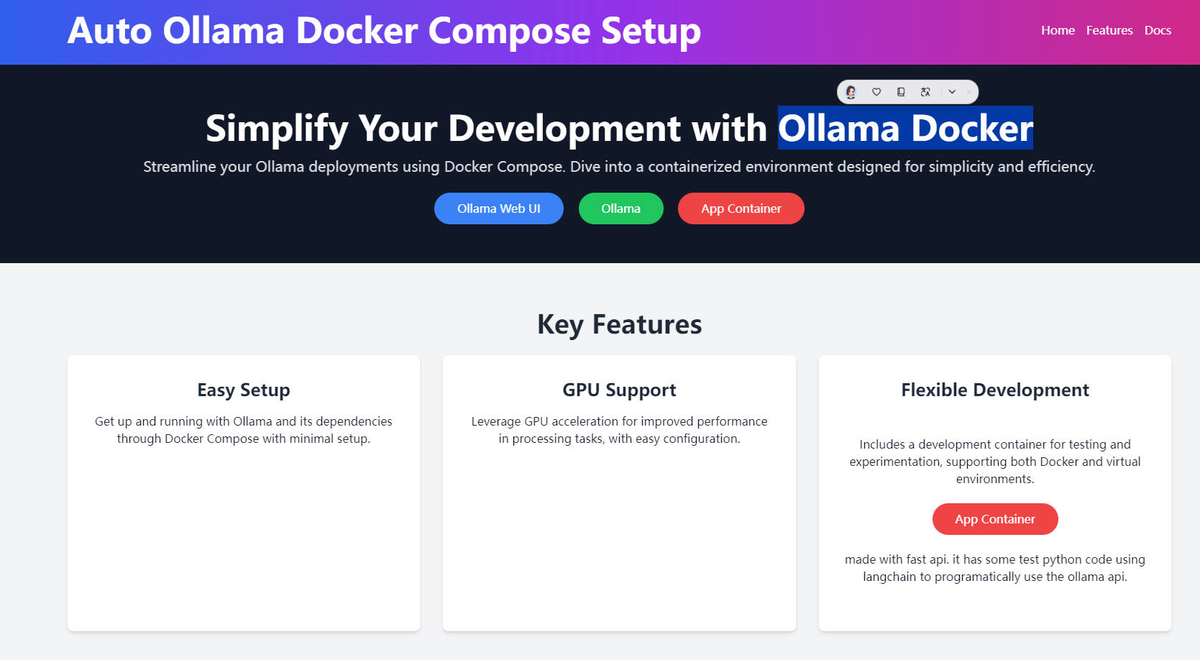
If you’ve ever “spent your way” through prompt engineering, you already know the real tax on AI development isn’t compute—it’s friction. Local-first tooling changes that. With the right stack, you can iterate instantly, keep your data where it belongs, and—when you’re ready—move to production with almost no refactoring.
This post lays out a practical local AI development environment using Ollama + Open WebUI + LiteLLM + Docker Compose. The goal is simple: a full AI dev stack on your laptop that behaves like a real service, but costs you nothing during iteration and doesn’t leak your experiments.
The three hidden costs of “just use an API”⌗
Most teams don’t struggle because they can’t build AI features. They struggle because early iteration is expensive in ways dashboards don’t capture.
1) API costs during iteration⌗
Prompt tweaks are cheap—until every tweak triggers an API call you can’t stop. Even if your project has a budget, you’ll burn it on exploratory runs, regression testing, and “just one more” rephrasing.
2) Latency during prompt engineering⌗
When each response takes seconds, you stop thinking in terms of conversation and start thinking in terms of waiting. That slows down debugging and makes iteration feel like pulling teeth.
3) Privacy concerns during testing⌗
Teams love to say “it’s just test data,” then paste real customer context, internal documents, or proprietary workflows into prompts. You might be careful, but software doesn’t care about intent—it only moves bytes. Local tools let you develop without that anxiety.
The fix isn’t “be more disciplined.” The fix is to build locally.
The architecture: local models, web UI, and an OpenAI-compatible proxy⌗
Here’s the backbone of the system, and why each component matters.
Ollama: run models on your machine⌗
Ollama is the local model runner. Instead of calling a hosted model, it pulls and runs LLMs locally (GPU if you have it, CPU if you don’t).
Practical payoff: you can iterate on prompts with near-real-time feedback—because you’re not waiting on an external network and billing meter.
Example use case:
- Generate a draft for a PR description template
- Summarize internal docs
- Rewrite safety-sensitive text according to your own rules All without sending that content to a third party.
Open WebUI: a ChatGPT-like interface for developers⌗
Open WebUI gives you a familiar chat UI—prompting, conversation history, and model selection—without requiring you to build a front-end.
Practical payoff: it accelerates everyone. Backend engineers can test prompts without context switching into scripts, and product folks can validate behavior without asking for exports.
LiteLLM: an OpenAI-compatible proxy⌗
LiteLLM is the glue that makes your local setup look like an OpenAI-style API. That’s the key to not rewriting your application later.
Instead of building your app around Ollama’s specific endpoints, you point your app at LiteLLM using OpenAI-compatible settings:
base_urlapi_key(often a dummy value in local setups)- model name mapping
Practical payoff: the move from local development to production becomes an environment variable swap, not a migration project.
Docker Compose: turn the pieces into a real stack⌗
You can run these tools separately, but the real win is consistency. Docker Compose makes “works on my machine” less common and onboarding dramatically faster.
A typical local docker-compose.yml includes four services:
- ollama (model runtime)
- open-webui (chat UI)
- litellm (OpenAI-compatible proxy)
- Your app or a test runner service (optional)
A skeleton example (trimmed for clarity) looks like this:
ollamaexposes the local model API to the Compose network.open-webuiconnects to Ollama as its model backend.litellmconnects to Ollama and exposes an OpenAI-compatible endpoint for your application.
From a developer’s perspective, you’ll end up with two “entry points”:
- A browser URL for chat (Open WebUI)
- An HTTP endpoint for your code (LiteLLM)
Practical advice:
- Use named volumes for anything stateful (like Open WebUI settings).
- Pin container versions so your environment doesn’t change under you mid-sprint.
- Keep your Compose file in the repo so the team shares the same setup.
Workflow: iterate like a normal developer, not a prompt scientist⌗
Once the stack is up, you should be able to move through a loop that feels boring—in the best way.
Step 1: Validate the model behavior in Open WebUI⌗
Start with a “conversation contract”:
- The task you want
- The tone/style constraints
- Any format requirements (JSON, bullet points, etc.)
- A few representative inputs that mirror your real data
For example, suppose you’re building a feature that drafts customer support replies. Your prompt contract might include:
- “Write as the agent, ask one clarifying question if intent is ambiguous.”
- “Never mention internal systems.”
- “Return JSON with
reply,next_question, andconfidence.”
In Open WebUI, you can quickly test formatting and refusal behavior before writing code.
Step 2: Test through your app using the OpenAI-compatible endpoint⌗
Now point your application to LiteLLM. For local development, you’ll set something like:
base_url=http://localhost:<litellm-port>/v1api_key=local(or whatever LiteLLM expects)
The critical thing: your app code shouldn’t care whether the model is local or remote. You’re exercising the same interface you’ll use in production—just with a different host.
Step 3: Regression-test prompts with deterministic fixtures⌗
Don’t rely on manual chat sessions forever. Build a small test harness:
- Store input prompts and expected output structure (not necessarily exact wording)
- Validate JSON schemas
- Check that required fields exist
- Ensure safety rules are followed (e.g., “don’t output PII” in your own checks)
Practical tip: assert structure and key content rather than exact strings. LLMs are probabilistic; your tests should reflect that.
The production switch: one environment variable, real deployment confidence⌗
Local-first development only matters if it doesn’t trap you. The point of LiteLLM’s OpenAI compatibility is that you can swap backends cleanly.
When you’re satisfied with prompt quality, tool calling, and formatting:
- Set your production
base_urlto your chosen hosted provider - Keep the rest of your app configuration the same
- Redeploy
You haven’t rewritten code to match a different API. You’ve validated behavior under realistic constraints and moved forward with confidence.
Practical advice before you switch:
- Keep model names abstract in config (e.g.,
LLM_MODEL=chat-devmapped to a specific underlying model locally vs. prod). - Re-run your regression suite against production early. The failure modes are different when you change model families.
Common pitfalls (and how to avoid them)⌗
Local setups are straightforward—until they aren’t. Here are the issues that commonly waste time:
“It works in Open WebUI, but not in my app”⌗
This usually means your app prompt differs from your chat prompt, or your output parsing is too strict. Fix by:
- Copying the exact system and user messages into your app
- Validating output with the same schema checks you used locally
“Latency is still annoying”⌗
Make sure you’re running a model size your machine can handle comfortably. If you’re on CPU, choose smaller models for development loops. You can always test larger models selectively.
“Docker networking confusion”⌗
If your app container can’t reach LiteLLM, stop guessing and confirm:
- the exposed port
- the service name on the Compose network
- whether you’re using
localhostinside a container (often the wrong target)
Conclusion: build locally, ship faster, sleep better⌗
A local AI development environment isn’t just a convenience—it’s a strategic advantage. Ollama gives you instant iteration, Open WebUI gives your team a shared interface, and LiteLLM gives your application a stable OpenAI-compatible contract. Docker Compose ties it all together into a repeatable stack.
The best part is the real-world payoff: you don’t waste budget or patience during prompt engineering, you reduce privacy risk during testing, and you move to production with minimal friction. Start local. Iterate quickly. Then ship.