Model Context Protocol: The Standard That Makes AI Agents Work
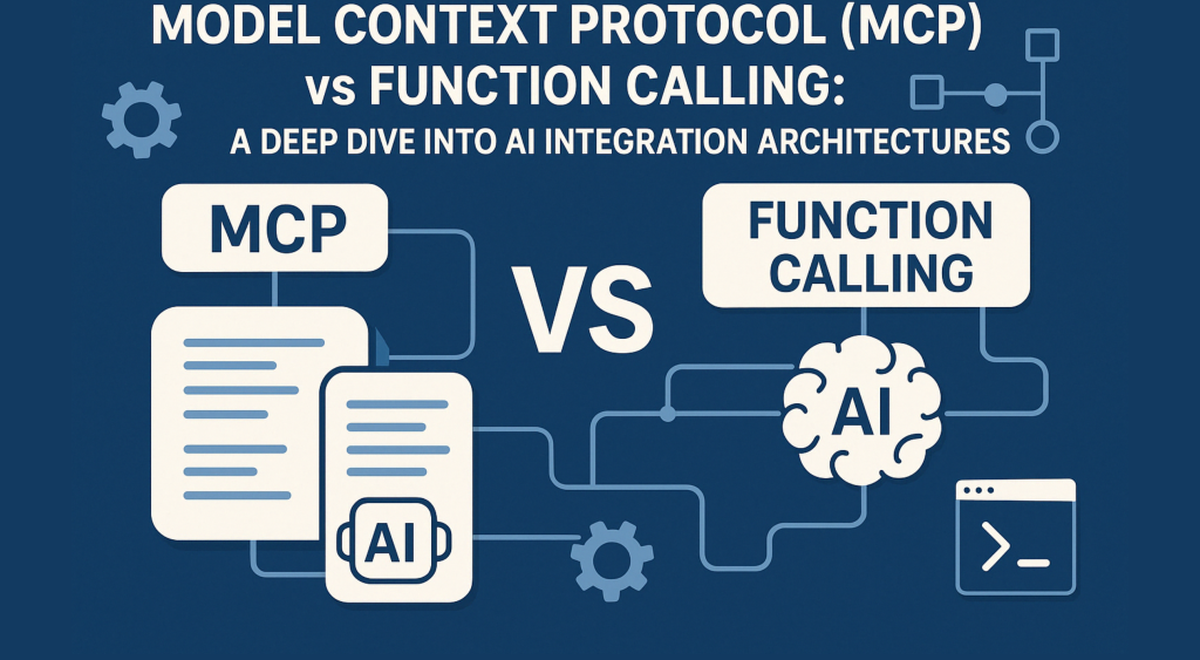
AI agents don’t fail because they “can’t think.” They fail because they can’t reliably act: fetch the right data, call the right tools, and do it in a way you can trust. For years, the bottleneck wasn’t intelligence—it was integration. Model Context Protocol (MCP) is quickly becoming the answer, offering a universal way for large language models to connect to external tools and systems. If REST made web APIs boringly interoperable, MCP is doing the same for agent tool use.
The integration problem AI keeps tripping over⌗
Most “agent” demos look impressive because they’re built on a stack that’s invisible to the user: custom wrappers, hand-written tool schemas, special-case authentication, bespoke adapters for each service. That’s fine for a prototype. It’s a nightmare for a product.
Here’s what usually goes wrong:
- Tool definitions don’t travel. Every LLM integration ends up with its own format for “here are the tools you can call.”
- Context is inconsistent. Agents may retrieve data in different ways depending on the tool, causing unpredictable behavior.
- Auth and permissions are brittle. Connecting to Slack, GitHub, databases, or ticketing systems often requires custom OAuth flows and environment-specific hacks.
- Maintenance becomes an identity crisis. Add one new capability (say, “read from Postgres”) and you rewrite integration glue.
The result is a fragmented ecosystem where every new model or agent framework risks breaking existing tooling—or forcing developers to duplicate effort across integrations.
MCP attacks this at the root: instead of building bespoke tool adapters for every LLM, you build once—against a standard protocol.
What MCP is, in plain terms⌗
Model Context Protocol is a standard way for LLM clients (the “agent runtime”) to talk to tool and data providers via MCP servers. Think of MCP as a contract for tool use:
- MCP server: Exposes capabilities—tools, resources, and structured actions—over a consistent interface.
- MCP client: Connects to one or more MCP servers and lets the model invoke those capabilities.
In practice, that means an agent can connect to a GitHub server, a Slack server, and a Postgres server using the same underlying mechanism. The model doesn’t need a unique integration strategy per service. It needs the tools that are available—and MCP gives you a uniform way to describe them.
The “context” part matters too. MCP isn’t only about calling functions. It’s also about giving the model a consistent pathway to retrieve relevant information (resources) from external systems so the agent can decide what to do next.
Before MCP: bespoke toolchains and fragile glue⌗
To appreciate why MCP matters, you need to see the old workflow.
Imagine you’re building an internal agent for engineers. You want it to:
- Query issues in GitHub.
- Read or post messages in Slack.
- Pull deployment metadata from a Postgres database.
- Maybe also check CI status and open a ticket.
Before a standard, you typically write separate integrations like:
- A GitHub “tool wrapper” that maps model intent into GitHub API calls.
- A Slack wrapper handling message formatting, channel selection, and permissions.
- A database wrapper converting SQL requests into safe queries (or, worse, running raw queries).
- A bespoke orchestration layer that manages auth tokens and error handling.
Now add new models or new agent runtimes. Even if they’re both “LLM clients,” they may expect different tool schemas, different calling conventions, or different streaming patterns. You end up maintaining N×M glue code: tools times clients. That slows down iteration and makes reliability worse, because every edge case is a custom one.
MCP is the pivot: you standardize the interface between clients and servers. The tools become reusable building blocks.
After MCP: servers turn capabilities into plug-and-play modules⌗
The most pragmatic way to understand MCP is to treat MCP servers as reusable capability packages.
Suppose you’re building a support engineer copilot. You don’t want to write a custom “read from Jira” tool schema from scratch every time. With MCP, you can point your agent runtime at an MCP server that already exposes Jira capabilities in a consistent format.
Even the examples in common ecosystems follow the same pattern: there are MCP servers for mainstream platforms like GitHub, Slack, and PostgreSQL, and the community has expanded far beyond that. The key isn’t the specific services—it’s the repeatable integration mechanics.
Here’s a concrete, product-minded scenario:
- Your agent receives a request: “Find the latest deployment failures and post a summary to #incident-response.”
- Your MCP-connected agent runtime:
- Calls the Postgres server (or a CI/status server) to fetch relevant failure records.
- Calls the GitHub server to link failures to commits or issues (if needed).
- Calls the Slack server to post the summary using the correct channel and formatting rules.
- Your application doesn’t re-learn each service’s calling conventions because MCP normalizes the interface.
This is exactly what developers wanted from web APIs with REST: one consistent style for how clients talk to servers. MCP brings that “boring interoperability” to agent tool use.
Designing robust agents with MCP (not just demos)⌗
Standardizing tool access is a major step—but it’s not a magic wand. The difference between a demo and a dependable product is guardrails and operational discipline.
Here are practical ways to build robustness on top of MCP:
1) Treat tools like production endpoints, not suggestions⌗
Even with MCP, you still need to define clear tool behavior:
- Prefer read-only tools by default.
- Require explicit user confirmation before write actions (e.g., “post to Slack,” “open a PR”).
- Use structured inputs with validation so the model can’t “guess” parameter formats.
2) Make permissions explicit and least-privilege⌗
MCP servers will likely run with tokens/credentials. Don’t overload them.
- Separate credentials for read vs write.
- Scope tokens to specific repositories, channels, or database schemas.
- Audit what the agent can do if a prompt injection tries to trick it into calling a write tool.
3) Normalize your “data contract” with resources⌗
Agents perform better when the retrieved context is predictable. If an MCP server returns resources in a consistent structure—like “issue summary + status + last updated timestamp”—the agent can reliably decide next steps.
A simple win: design your internal MCP servers so they return compact, model-friendly payloads rather than dumping raw API responses.
4) Add tracing at the protocol boundary⌗
When something goes wrong—wrong tool called, wrong parameters, missing context—you want visibility.
Log:
- which MCP server was invoked,
- which tool/action was called,
- the request/response metadata (careful with secrets),
- timing and failure reasons.
This makes your agent debuggable, which is what you’ll need once usage grows beyond internal testing.
5) Compose multiple servers into a workflow, not a single “god tool”⌗
It’s tempting to create one “Everything” MCP server that handles all integrations. Resist that.
Instead:
- Let each server own its domain (GitHub, Slack, Postgres).
- In your agent logic, orchestrate them deliberately.
- This makes it easier to swap providers and reduces blast radius when a single integration breaks.
Where MCP fits in your architecture today⌗
So when should you bet on MCP? If you’re building anything that needs to call external systems—especially if you expect those systems to change—MCP is the kind of decision that prevents future rewrites.
Use MCP when:
- You’re integrating more than one external system (almost everyone is).
- You want to reuse tool capabilities across different agent runtimes or model choices.
- You plan to add new tools over time without turning your codebase into a museum of custom adapters.
You still have to choose the rest of your stack—agent runtime, orchestration layer, security model—but MCP reduces the surface area where integrations become bespoke and fragile.
The opinionated takeaway: MCP should be your default integration layer for tool access, not a “nice-to-have” experiment. Standards are only valuable when you commit to them early enough to prevent fragmentation.
Conclusion: The standard that turns agents into software⌗
AI agents are finally becoming practical, but not because models got smarter overnight. They’re becoming practical because the ecosystem is converging on shared interfaces for tool use. MCP does for agent integrations what REST did for web APIs: it gives developers a consistent, reusable contract so capabilities become modular instead of bespoke.
If you’re building AI-powered applications that need to connect to real systems—code, messaging, data, workflows—MCP isn’t just worth tracking. It’s the integration foundation you’ll be glad you chose when your next feature request doesn’t turn into a rewrite.